When IT departments lock down Microsoft 365 by disabling Teams creation, blocking external collaboration, and enforcing rigid restrictions, they do not stop collaboration—they simply drive employees to unmanaged WhatsApp groups, personal Dropbox accounts, and shadow IT tools.
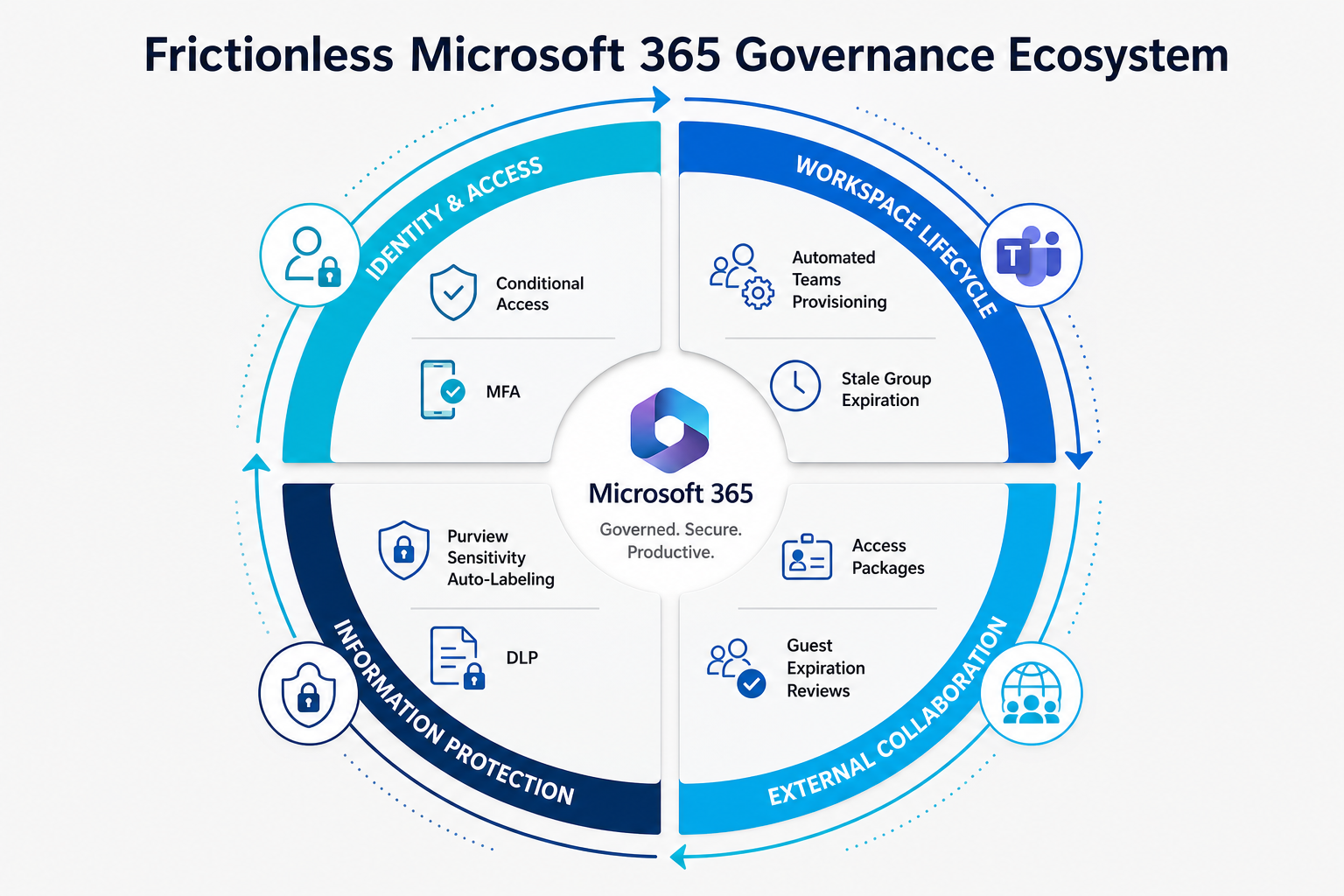
Effective Microsoft 365 governance is not about restriction; it is about establishing automated guardrails. By automating workspace lifecycles, governing external sharing links, and embedding automated sensitivity labels, organizations protect sensitive data while maintaining a frictionless user experience.
Inactive Group Expiration
Automated lifecycle policy triggering owner renewal reviews for inactive Teams.
External Sharing Auditing
Automated expiration of guest access links after 30 days of inactivity.
Anonymous Links Permitted
Total elimination of 'Anyone with the link' anonymous public sharing.
1. The 4-Pillar M365 Governance Matrix
| Governance Domain | Friction-Heavy Approach (Fails) | Automated Frictionless Solution (Optimal) | Business Impact |
|---|---|---|---|
| Workspace Creation | IT Helpdesk ticket required for every new Team. | Automated group provisioning with mandatory naming prefixes and owners. | Instant team spin-up with zero unmanaged workspace sprawl. |
| External Guest Access | Total ban on external guest sharing. | Domain whitelisting with self-service Entra Access Reviews. | Secure client collaboration with automated guest cleanup. |
| Data Protection | Manual document tagging enforced by policy. | Auto-labeling sensitivity policies based on regex and credit card/SSN patterns. | Seamless data protection without requiring end-user effort. |
| Workspace Lifecycle | Manual annual IT file audits. | Automated group expiration policies based on SharePoint activity telemetry. | Stale data auto-archived without storage bloat. |
“If security makes legitimate work harder than illegitimate work, employees will always choose the path of least resistance. Good governance makes the secure path the easiest path.”
2. Deploying Microsoft Purview Data Loss Prevention (DLP)
Data loss prevention policies should inform users, not silently block them. Deploy DLP policies in Test Mode with User Policy Tips enabled, showing employees why sharing a document containing sensitive financial or customer data violates compliance standards and offering guided remediation.
M365 Baseline Governance Checklist
- Restrict SharePoint and OneDrive sharing to 'Specific People' only; disable anonymous access links across all tenants.
- Deploy an automated Group Naming Policy and Expiration Policy for all Microsoft 365 Groups.
- Enable Microsoft Purview auto-labeling for financial records, source code, and personally identifiable information (PII).